
How to Use Canva Pro For Free (NEW UPDATE)
You’ll agree that Canva is one of the most popular design tools in the world today. It is no news that it is widely used by many people to design flyers, posters, and even YouTube thumbnails. The reason for this is that it is very easy to use, even for non-designers.
Well, the truth is that even though Canva is free to use, many of its best features are locked under Canva Pro. That’s where this post comes in.
In this post, you will read the latest tricks on how to use Canva Pro for free. Let’s start by first checking out how Canva Pro works.
What Is Canva Pro?

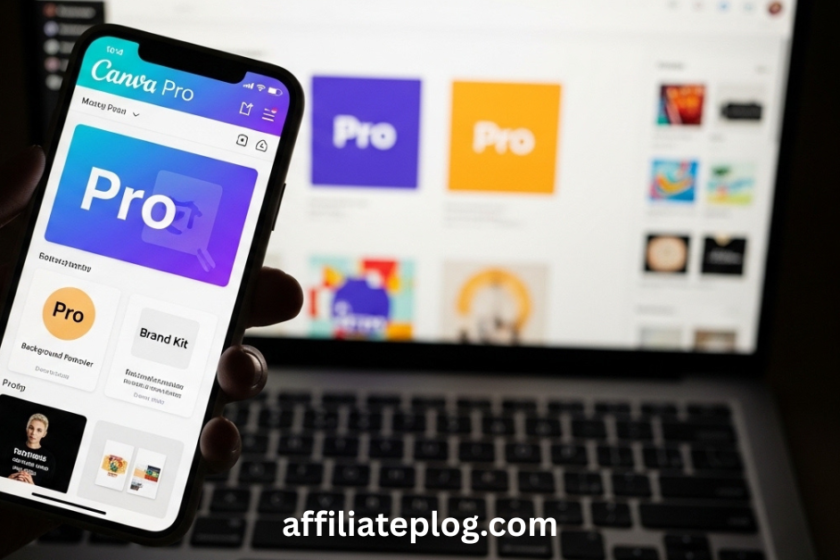
Canva Pro is the paid version of the Canva software that allows users to use advanced design tools. Yes, with the Canva Pro activated on your device, you can access millions of premium templates, stock photos, videos, and graphics that are usually available on the Canva software.
In addition, you also get access to powerful tools such as background remover and brand kits.
Features Of Canva Pro
These are the features of Canva Pro that you need to know:
1. Access to Premium Templates
One feature of the Canva Pro is the access to thousands of premium templates on the app. With these templates, you do not need to worry about design skills because the hard work has already been done. What you just have to do is to edit the text that you want on your design and select your colors. That’s all.
As mentioned earlier, this is one reason why the Canva Pro is one of the most sought after softwares because these templates alone can save money that would have been spent hiring a designer.
2. Millions of Premium Stock Photos and Videos
Canva Pro gives users access to millions of premium stock photos and video files. This feature is very helpful for people who cannot afford paid stock photo websites. So, instead of searching the internet for free images, you can easily find what you need inside Canva with the help of the Pro version.
3. Access to Background Remover Tool
The background remover tool allows users to remove the background of their design with just one click. In all honesty, without Canva Pro, removing backgrounds would require you to use complex software like Photoshop. However, Canva Pro makes this process easy and saves a lot of time.
4. Brand Kit
The Brand Kit feature allows users to save their brand colors, logos, and fonts in one place. As a result, you can maintain a consistent pattern across all your designs. This feature is mostly used by content creators in order for them to easily apply the same style to every design they create.
It works in such a way that instead of choosing colors and fonts every time you want to design, you just need to select your brand kit and start designing. No stress.
5. Resize Designs Immediately
With Canva Pro, you can resize a design into different formats instantly. For example, you can turn an Instagram post design into a Facebook post design. If you use Canva, you’ll see that this is not usually possible to do. In fact, you’ll have to delete the design and start afresh.
However, with Canva Pro, you can always design once and resize it easily using Canva Pro.
6. Unlimited Cloud Storage
Canva Pro offers unlimited cloud storage for all of your designs, photos, and videos. This means you can save as many projects as you want without worrying about running out of space. Your designs are stored safely online and can be accessed anytime.
With this in place, It helps you prevent loss of important work. If you’re a student, then this would be of interest to you.
This post has so far highlighted how Canva Pro works and the features of Canva Pro. Now, let’s consider the method and steps on how to access Canva Pro for free.
How to Use Canva Pro For Free
Here are the methods that you can use Canva Pro for free:
Method 1: Using Canva for Education

Canva for Education is one of the proven ways to use Canva Pro for free. The Canva for Education program by Canva is designed for teachers and students. This provides free access to most Canva Pro features to support learning in schools around the world.
Now, this Canva Pro helps students to find it easy when they create better assignments, presentations, and projects. In fact, students have said that this package helps them to develop creative skills early.
How to Use Canva Pro For Free Using Canva for Education
Here is a step-by-step method on how to access Canva Pro via Canva for Education:
Step 1: First, visit the Canva for Education website and click on the Sign Up option.
Step 2: Sign up using your school email address or provide proof that you are a teacher or student.
Step 3: Then Canva will review your application and verify your educational status immediately.
Step 4: Once approved, your account will be upgraded to Canva for Education with Pro features.
Step 5: Log in to your account and start using Canva Pro tools for free.
Method 2: Using Canva for Nonprofits
Canva for Nonprofits is another well-known way to use Canva Pro for free on your device. How this works is that Canva understands that Nonprofit organizations (NGOs) need good designs to create awareness and raise funds for a course.
With Canva Pro nonprofit access, organizations can design social media posts and presentations without spending money on design software.
How to Use Canva Pro for Free Using Canva for Nonprofits
Below are the steps to follow to access Canva Pro using Canva for Nonprofits:
Step 1: Visit the Canva for Nonprofits website and sign up with your organization’s details.
Step 2: Submit the required documents to prove that your organization is a registered nonprofit.
Step 3: Canva will review your application and verify your nonprofit status.
Step 4: Once your application has been approved, your team will get free access to Canva Pro features.
Conclusion
There is no doubt that the Canva Pro tools are worth the effort. You can create nice designs without even calling on a designer for help. This post has been quite helpful as it has highlighted the methods involved in using Canva Pro for free.
The methods used, which as Canva for Education and Canva for Nonprofits, have been detailed to your understanding. Kindly follow the steps under each method access this.
If you encounter challenges in your setup, kindly drop a comment below to receive help.

Chimezie Duru is a Lagos-based Digital Entrepreneur, Wikipedia Editor & Biography Writer, Affiliate Marketing Strategist, IT Consultant, and Blogging Coach with over 6 years of experience building and monetizing blogs in Nigeria’s digital space. He is the founder of InkRise Academy (InkRise Digital Concepts) and creator of the Ink To Income Masterclass. A 9-module blogging course for aspiring Nigerian & African writers and bloggers covering SEO, content strategy, and monetisation.
As the creator of AffiliatePlog.com, Chimezie writes from real experience on Wikipedia editing & biography writing, affiliate marketing, online earnings, and digital tools for Nigerian freelancers and content creators. He also works as a freelance Business and Data Analyst, IT Consultant & System Administrator, bringing an analytical edge to every content and business decision.

One comment
Comments are closed.