
You can master Cybersecurity Basics in under 30 days. Find out how in this article.
You don’t need a fancy degree or years in tech to get the hang of cybersecurity basics. If you’re comfortable with a computer and ready to put in some steady work, you can pick up the basics in just 30 days. This plan’s made for beginners, no jargon, no one trying to keep you out.
Maybe you want to protect your own stuff, maybe you’re eyeing a job in cybersecurity, or maybe you just want to actually understand the news when the next big hack drops. Stick with this guide day by day, and by the end, you’ll start to think like an ethical hacker and defend your data like a pro.
In this article, we take you on the journey of getting into this highly sought-after tech space. Read to find the pipeline to mastering cybersecurity basics in 30 days or less.
Week 1: Build the Foundation of Cybersecurity Basics (Days 1–7)

Day 1–2: How the Internet Really Works
Let’s start at square one: IP addresses, DNS, packets, HTTP vs HTTPS, TCP/IP.
What to watch:
- “How the Internet Works” by PowerCert Animated Videos (YouTube, about 20 minutes)
- Professor Messer’s Network+ N10-009 series (YouTube, episodes 1–10)
Goal: Explain without sweating how your phone talks to a website.
Day 3–4: See What You’re Up Against
Check out the OWASP Top 10 (2024–2025) and take a beginner’s look at the MITRE ATT&CK Framework.
Helpful stuff:
- TryHackMe’s “Intro to Offensive Security” and “OWASP Top 10” rooms (free tier)
- Web Security Academy by PortSwigger (free labs)
Goal: Know the 10 most common ways hackers break into websites and apps.
Day 5–7: Make Your Own Hacking Playground
Never test skills on real systems—use a safe lab. Here’s how:
- Download VirtualBox or UTM (free)
- Set up Kali Linux and Windows 10/11 VMs
- Add Metasploitable 2 and DVWA (both intentionally vulnerable)
- Install Burp Suite Community and Wireshark
By Day 7, you’ll have a sandbox where you can break things safely.
Week 2: Defense First — Become Unbreakable (Days 8–14)
Day 8–10: Passwords & Authentication as Components of Cybersecurity Basics
- Start using a password manager (Bitwarden is free forever)
- Turn on 2FA everywhere you can—switch to passkeys if possible
- Learn the difference: passkeys, TOTP, WebAuthn
Real task: Audit your accounts and fix any weak spots.
Day 11–13: Lock Down Your Devices
- Full-disk encryption (BitLocker or FileVault)
- Set up firewall rules: Little Snitch (Mac) or SimpleWall (Windows)
- Try DNS-level blocking: NextDNS or ControlD (free options)
- Turn on automatic updates, don’t skip them
- For your phone: GrapheneOS or stock iOS with Lockdown Mode
Goal: Make your devices tougher to hack than most people’s.
Day 14: Outsmart Phishing & Social Engineering
Spend a day on real phishing tests:
- Run your own campaigns with GoPhish (watch a tutorial first)
- TryHackMe’s “Phishing” room
- Practice spotting fake login pages on OpenPhish’s live feed
After this, clicking sketchy links won’t be a problem.
Week 3: Master Cybersecurity Basics by Thinking Like an Attacker (Days 15–22)
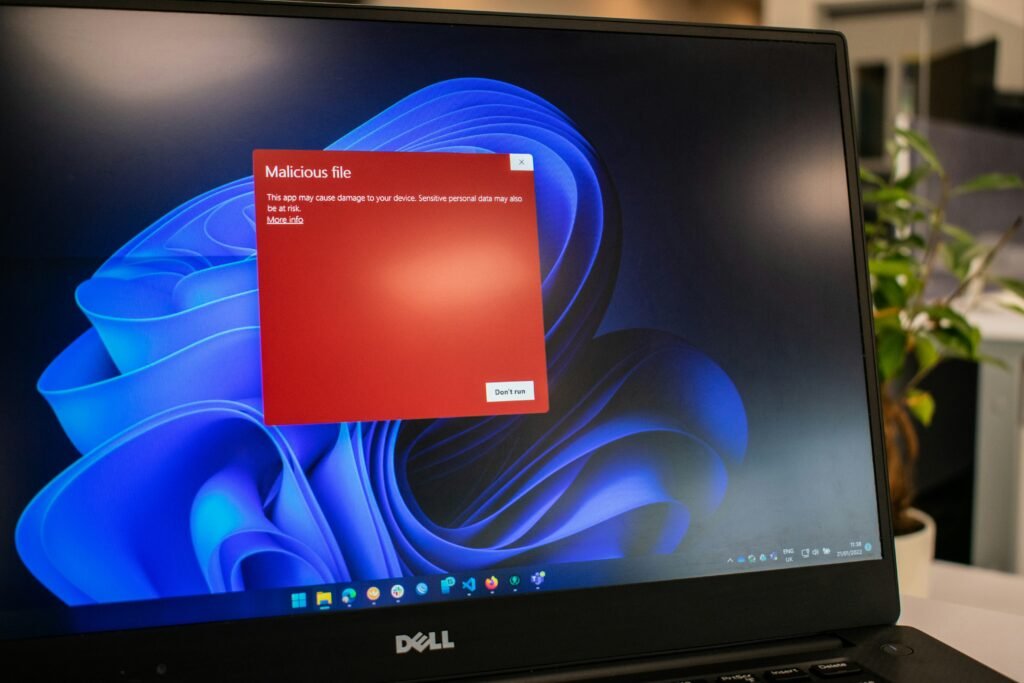
Day 15–17: Recon & OSINT
Find out how attackers collect info before striking:
- Play with Maltego Community Edition
- Try the Harvester, Amass, and Shodan
- Use Google Dorks and the OSINT Framework
Challenge: Do a full OSINT search on yourself. See what’s out there—then clean it up.
Day 18–20: Dive into Web Application Attacks
Fire up your lab and try:
- SQL injection (SQLi-Labs or DVWA)
- Cross-Site Scripting (XSS)
- File inclusion bugs
- Broken authentication
Tools: Burp Suite Community
Platform: TryHackMe “Web Fundamentals” to “OWASP Top 10” path (all free)
Day 21–22: Network Attacks & Wi-Fi Security
- Analyze packets with Wireshark
- Learn ARP spoofing and MITM basics (Bettercap or Ettercap)
- Crack your own Wi-Fi (WPA2/3) with Aircrack-ng
- Try an evil twin attack
Goal: Understand why public Wi-Fi is risky and how to protect yourself.
Week 4: Tools, Careers & Long-Term Defense (Days 23–30)
Day 23–25: Essential Tools, One by One
Work through these each day:
- Nmap (network scanning)
- Metasploit (exploitation framework)
- John the Ripper or Hashcat (password cracking)
- Ghidra or x64dbg (dipping your toes into reverse engineering)
For hands-on practice, check out HackTheBox Academy (free) and TryHackMe’s “Complete Beginner” path.
Day 26–27: Incident Response & Logging
Things go sideways sometimes. Here’s how to handle it:
- Dig into Windows Event Logs and Sysmon
- Get a feel for the ELK Stack, or check out Wazuh if you want a free SIEM
- Set up a simple home SOC using Security Onion
Now, get your hands dirty and spin up a ransomware attack in your lab. Then jump in and respond, just like you would on the job.
Day 28–29: Pick Your Path & Build Your Portfolio
Time to figure out where you want to go next:
- If you’re drawn to defense (blue team), look at CompTIA Security+ or eJPT
- Want to play offense (red team)? eCPPT or OSCP are your tracks
- Interested in governance and risk? Learn the basics of NIST CSF and ISO 27001
Start putting your work somewhere visible, a GitHub repo or a Notion page works great. This becomes your living résumé.
Day 30: Final Challenge & Cert Prep
Pick one of these free capstone challenges and finish strong:
- TryHackMe “Intro to Cyber Security” full path certificate
- HackTheBox Starting Point track
- Google Cybersecurity Professional Certificate (audit it for free on Coursera)
Once you’re done, take a second to celebrate. You now know about 80% of what junior analysts bring on their first day.
Free or Low-Cost Resources You’ll Actually Use to Master Cybersecurity Basics
- TryHackMe (free learning paths)
- HackTheBox Academy (free tiers)
- PortSwigger Web Security Academy (totally free, plus you get certificates)
- Professor Messer on YouTube
- OverTheWire Wargames
- PicoCTF (perfect for beginners)
- CyberDefenders and LetsDefend (blue team labs)
Conclusion: You’re Not a Beginner Anymore in Cybersecurity Basics
Give yourself some credit. After 30 focused days of taking the above steps to master cybersecurity basics, you can:
- Detect and stop the most common attacks
- Break down breaches you see in the news
- Go after entry-level SOC analyst, pentester, or security engineer roles with real confidence
- Keep yourself and your loved ones a whole lot safer, for good.
Mastering cybersecurity basics isn’t about being the smartest person in the room. It’s about showing up, staying curious, and building good habits. You’ve done all of that. Hang on to your lab.
Keep showing up every day. The industry badly needs people like you right now. Day 31 starts today. Go break something (legally), then fix it up even better. Welcome to cybersecurity basics.

Chimezie Duru is a Lagos-based Digital Entrepreneur, Wikipedia Editor & Biography Writer, Affiliate Marketing Strategist, IT Consultant, and Blogging Coach with over 6 years of experience building and monetizing blogs in Nigeria’s digital space. He is the founder of InkRise Academy (InkRise Digital Concepts) and creator of the Ink To Income Masterclass. A 9-module blogging course for aspiring Nigerian & African writers and bloggers covering SEO, content strategy, and monetisation.
As the creator of AffiliatePlog.com, Chimezie writes from real experience on Wikipedia editing & biography writing, affiliate marketing, online earnings, and digital tools for Nigerian freelancers and content creators. He also works as a freelance Business and Data Analyst, IT Consultant & System Administrator, bringing an analytical edge to every content and business decision.