
Your Internet is Slow for Many Reasons. Find out How to Solve the Problem.
Is there something more irritating than the image of a spinning wheel when you are trying to stream your favorite series, take a Zoom call, or just open a webpage? One moment everything is moving at high speed, the next your internet is moving like a very slow turtle. Does it sound like your case? Surely, you are not the only person with this problem.
Even in 2026 when fast fiber is being installed everywhere, millions of us are still fighting with slow Wi-Fi and buffering or lag every day. People have at different times reported that internet is slow, thus slowing their productivity.
There are almost always easy solutions to fix problems related to internet is slow that you can implement yourself in a couple of minutes, without being a technician. Here, in this no-fluff guide, we will discuss the actual reasons why your internet is slow at this very moment and then we will give you seven tested, step-by-step, and quick solutions. Let us do it today to bring your internet back to lightning speed.
The Real Reasons Your Internet Is Slow

- Too many devices hogging bandwidth (smart TVs, phones, tablets, Ring doorbells, gaming consoles, all streaming at once).
- Your router is old, poorly placed, or stuck on a crowded Wi-Fi channel.
- Background downloads or updates are eating your speed without you knowing.
- You are too far from the router or blocked by thick walls and floors.
- Your ISP is throttling certain traffic or experiencing peak-hour congestion.
- Malware or too many browser tabs are draining resources.
- Outdated modem/router firmware or a faulty cable.
7 Fast Fixes That Will Boost Your Internet Speed Today
Fix 1: Restart Everything (The Magic 30-Second Trick)
After around 30 seconds you have to unplug your modem and router and then plug them back in. Wait for it when all the lights are stable. It releases storage, refreshes your connection, and is the main reason why, out of all the temporary faults, 80 percent of them are resolved, which is why you should always do this first.
Fix 2: Run a Quick Speed Test and Compare
Visit fast.com or speedtest.net to determine the download/upload speed of the actual connection. In case it is very much lower than that for which you are paying (i.e., if you pay for 500 Mbps but you allow only 50 Mbps), then the first thing to do is to get in touch with your ISP. It is a good idea to take a screenshot of the test result because it is your evidence that the internet is slow.
Fix 3: Kick Off Bandwidth Hogs
The router admin page (address normally 192.168.1.1 or 192.168.0.1) should be opened and the list of connected devices checked. The smart TVs, guest phones, or that ancient laptop running Windows updates should be paused or disconnected. Several current models of routers give an option through which you can even select your work laptop or gaming PC as a priority device so that it always enjoys the fastest lane.
Fix 4: Move Your Router to a Better Spot
The productive place for a router is the center, the top (on a shelf, not the floor), and not near the microwaves, cordless phones, or thick concrete walls. What if you are working in the basement while the router is upstairs? Then for full coverage, you need to think of powerline adapters or a mesh Wi-Fi system.
Placing it anywhere else that’s not close may cause internet is slow, as coverage is limited.
Fix 5: Switch to the Less Crowded 5 GHz Band
Most routers provide two networks: 2.4 GHz (longer range but slower and more crowded) and 5 GHz (faster but shorter range). Your primary devices should be connected to the 5 GHz network so that you can get the speed instantly. Name it differently such as “MyWiFi-5G” so that it would be easier for you to select.
Fix 6: Update Router Firmware and Device Software
It is advised to update the firmware in case the button to do it appears in the router settings page where you have logged in. Along with that, phone, laptop, and TV software should also be updated. Not using the latest firmware is like driving a car with flat tires – performance gets lowered.
Fix 7: Use an Ethernet Cable for Critical Devices
Definitely, the best one among all solutions that involve wireless communication is a wired line connection. A Cat6 Ethernet cable can be used to connect a gaming PC, work laptop, or streaming device directly to the router. You will see speeds jump from 50 Mbps Wi-Fi to 900+ Mbps instantly. Plus: no lag and excellent stability.
Bonus Speed Hacks to Fix Internet is Slow
- Enable the Quality of Service (QoS) feature in your router settings to help video calls and online gaming activities get priority over other traffic.
- Set your DNS to either Google (8.8.8.8) or Cloudflare (1.1.1.1) so that your pages load faster.
- Remove cookies and other files that browsers use to store information and temporarily leave out tasks that utilize the browser.
- Make a plan to download heavy files (games, 4K movies) during the night or any other off-peak hours when the network is free.
When to Call Your Internet Provider That Internet is Slow
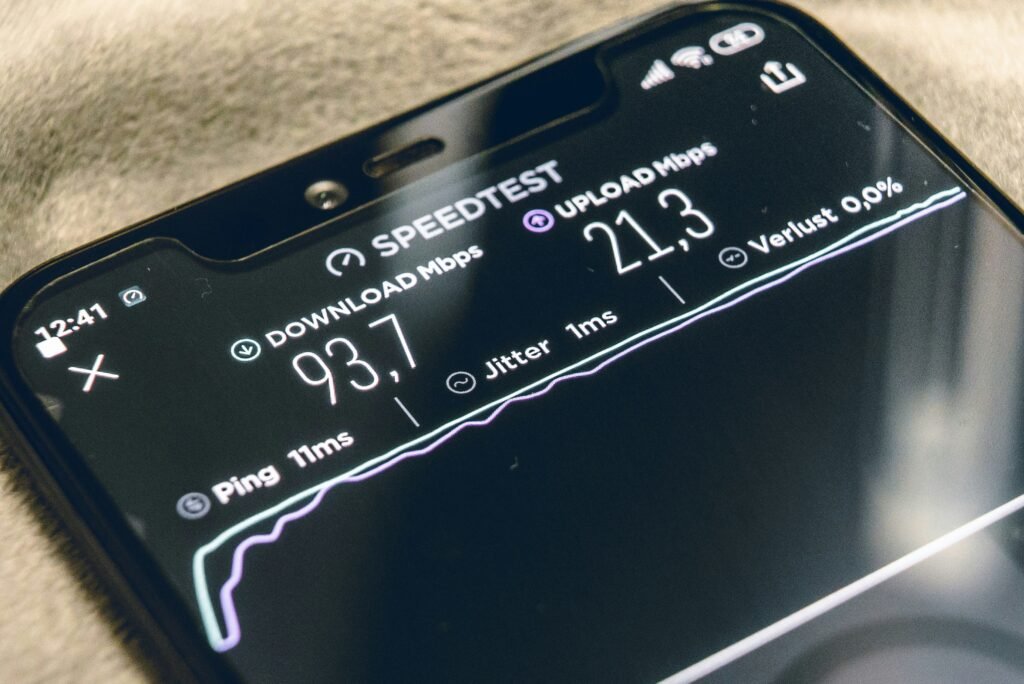
After trying out all the aforementioned methods, if your internet is slow and even less than half of what you pay for, especially during peak evening hours, then it would be the right time to call your internet provider.
Kindly communicate to them the results of the speed test you conducted, mention that you have already taken the troubleshooting steps on your own, and request a technician visit or a possible upgrade. To keep you as their client, most ISPs will do a plan upgrade for free.
Conclusion: You Can Fix Internet is Slow Problems
The slow speed may cause a person to feel uncomfortable, however, it is hardly ever the case that the slow speed remains for a long period of time. In a majority of situations, the combination or individual use of the seven fixes mentioned above will have a person streaming, gaming, and working without any interruption in a matter of minutes.
Always start with the simplest solution to solve internet is slow, which is restarting, then doing a speed test, and finally, moving down the list. How much faster everything seems will be a source of amazement for you.

Chimezie Duru is a Lagos-based Digital Entrepreneur, Wikipedia Editor & Biography Writer, Affiliate Marketing Strategist, IT Consultant, and Blogging Coach with over 6 years of experience building and monetizing blogs in Nigeria’s digital space. He is the founder of InkRise Academy (InkRise Digital Concepts) and creator of the Ink To Income Masterclass. A 9-module blogging course for aspiring Nigerian & African writers and bloggers covering SEO, content strategy, and monetisation.
As the creator of AffiliatePlog.com, Chimezie writes from real experience on Wikipedia editing & biography writing, affiliate marketing, online earnings, and digital tools for Nigerian freelancers and content creators. He also works as a freelance Business and Data Analyst, IT Consultant & System Administrator, bringing an analytical edge to every content and business decision.